
README badge and streaks
Show your rating, streak and best rank on your GitHub profile, and what your profile link looks like when shared.
Streaks
Play the daily challenge and your streak grows by one for every UTC day you have an entry. Miss a whole day and the current streak starts again from zero. If you haven’t played yet today, yesterday’s streak is still alive until the day ends. Your best streak is kept.
Your player page shows your current and best streak, your medals and your recent runs. You can follow other players from their page; the friends tab on a board then shows you and the players you follow.
The badge
Add this to your GitHub profile README, with your GitHub login in place of YOUR-LOGIN:
It shows your current streak and your best rank (for example top 8%) on any daily or weekly board. The badge is
cached for an hour, so it can lag a little behind the game. An unknown login shows a grey “unknown player” badge
instead of a broken image.
The rating badge
The same small badge, showing your overall rating and tier:
It reads for example 1,842 Orchard. While you are still in placement it shows your provisional rating and
placement 2/5; before your first rated day it says unrated. How the rating works is explained on the
rating page.
The stats card
A larger card for your profile README: rating, tier, top percent, streak, your Brevity and Speed ratings and a small line of your rating over your last rated days.
To make it a link to your profile page, wrap it:
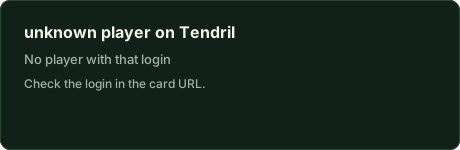
[](https://tendril.hokora.xyz/u/YOUR-LOGIN)The card is a plain image with no scripts, fonts or outside requests, so GitHub shows it as is. Unknown logins show a grey “unknown player” card, and players who are not rated yet see “Not rated yet”, so the image never breaks.
Preview image of your profile link
When you paste your profile link into a chat or a social post, the preview is
https://tendril.hokora.xyz/api/og/u/YOUR-LOGIN.png: your rating and tier next to the farm of your latest run. In the
week after you move up a tier it becomes a promotion card (“Promoted to Orchard”). You can also use it directly as an
image.
All of these are cached for an hour, so a new rating can take up to an hour to show. Adding a query string such as
?v=2 to the badge or card is refused; use the plain URL.